

Until now, a Shot Caller session was one big pool. Pick three styles, hit go, and all five rounds drew from the same mix. Round one sounded like round five. That’s fine for a quick bag session, but it isn’t how anyone actually trains. A real session has a shape: you warm up, you work on one thing at a time, the pace climbs, and somewhere near the end somebody makes you do burpees.
Shot Caller 1.22 lets you build that shape. A session now runs off a plan with one entry per round, and you set the plan in a single new sheet called Session Settings. This release also tidies up how you get around the app and rebuilds Workout Logs, which we’ll get to further down.
Pick your styles the way you always have. Under the Novice / Amateur / Pro buttons there’s a new line that starts Session settings. It sums up whatever is set behind it, and tapping it opens the sheet.
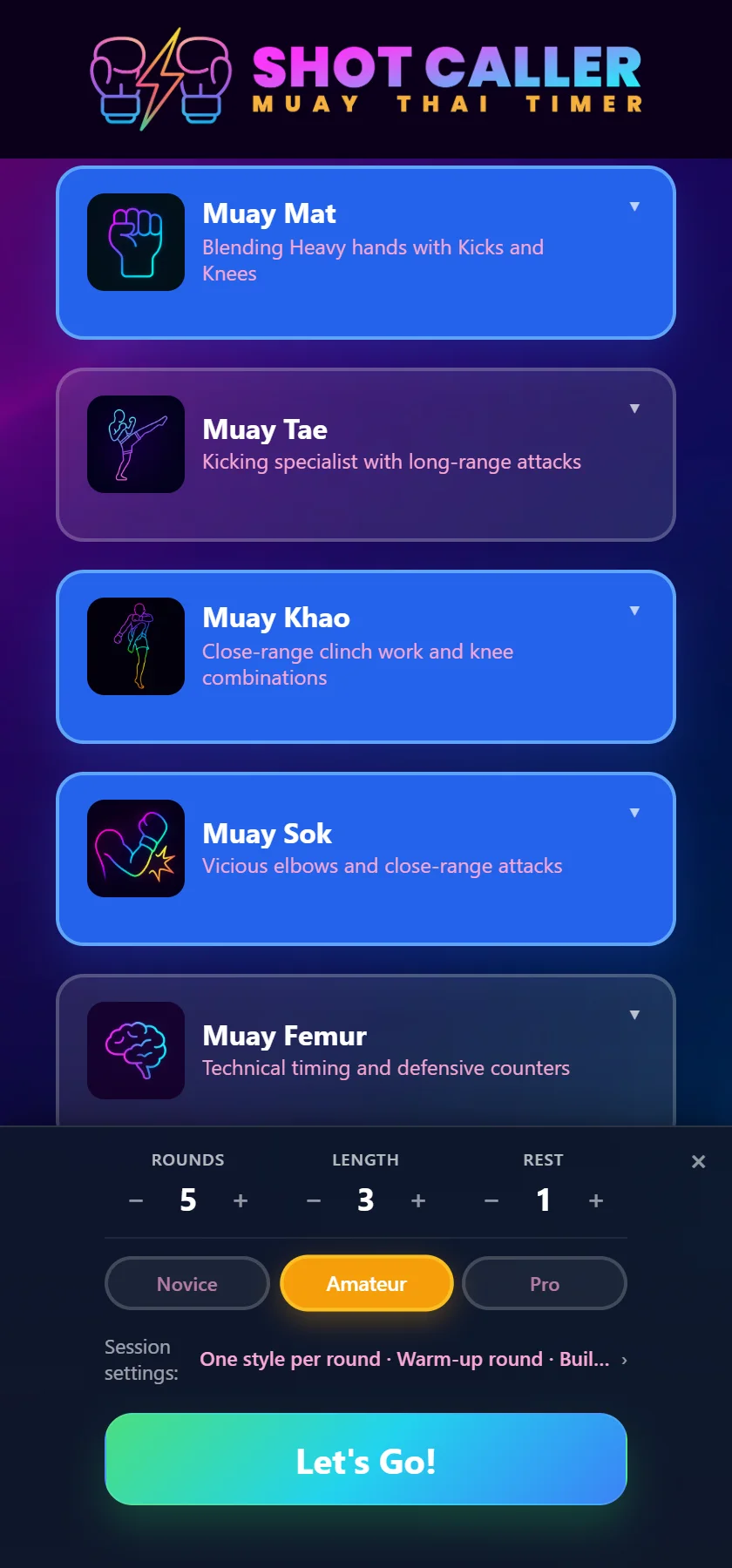
If you never tap it, nothing changes. Every round runs the way it always has. The old Advanced Settings panel at the bottom of the home screen is gone, and everything that lived in it (reading techniques in order, southpaw mode, the voice) now lives in this sheet too.
With two or more styles selected, the first choice in the sheet is how they share the session: Blended or By round.
By round gives each round to one style, in the order you picked them. Pick Muay Mat, Muay Khao and Muay Sok for five rounds and you get hands, then knees, then elbows, then back around to hands and knees. Any round can be changed by hand, including to “Blend all” if you want the last round to be everything at once.
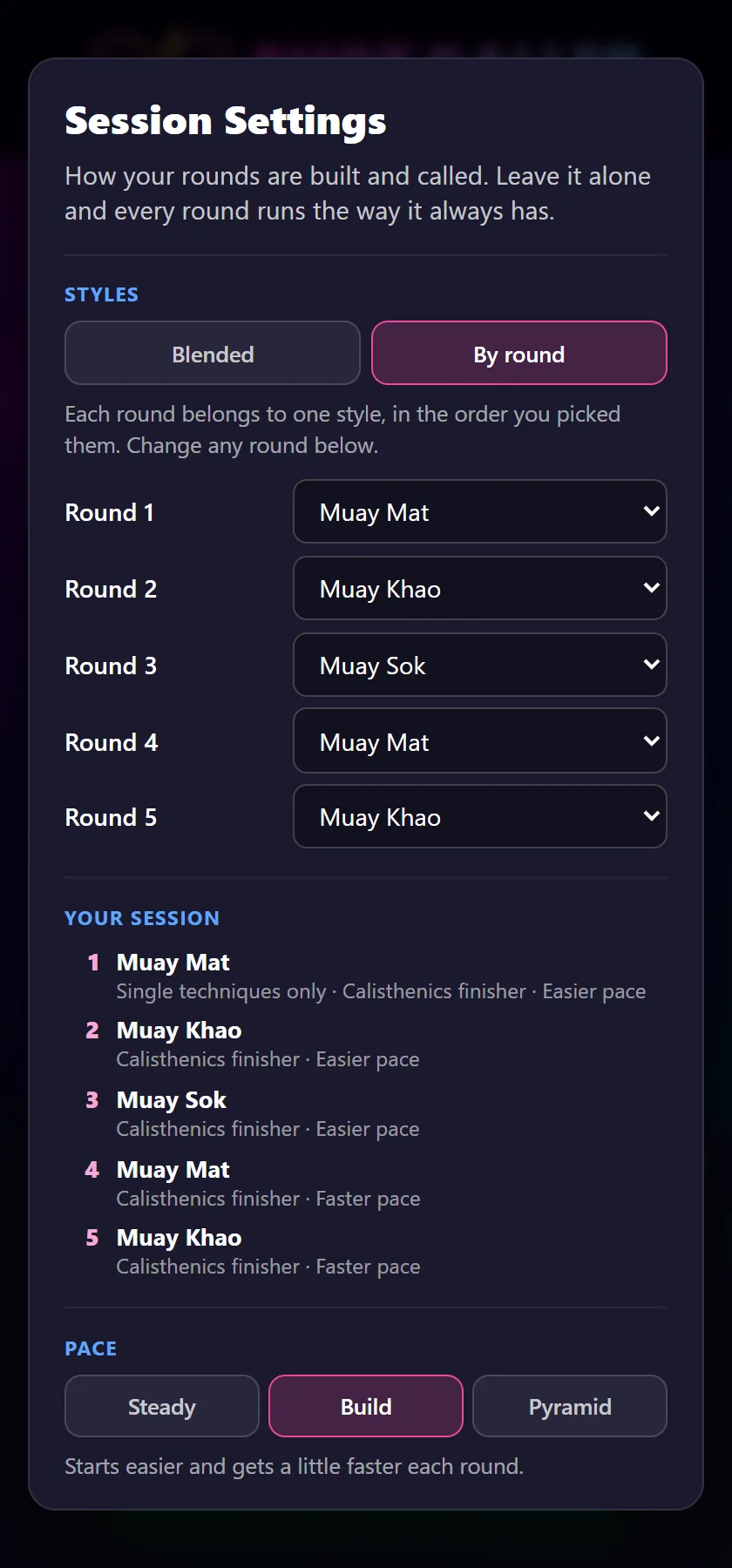
The Your session list underneath is the plan itself, updated as you change things, so you can see exactly what round four holds before you start.
Two edge cases, since somebody will ask. If you pick more styles than you have rounds, nothing gets dropped: the last round blends whatever hasn’t had a round of its own. And if you have rounds to spare, the rotation just starts again from the top.
This one changes even if you never open the sheet. Blending used to pull from one combined list, so a style with sixty entries would drown out one with ten. Now every selected style gets an equal share of the callouts, whatever its size. If you’ve built a small custom style and wondered why you hardly ever heard it next to Muay Mat, that’s why, and it’s fixed.
Tick Round 1 calls single techniques only and the first round is singles: a jab, a teep, a knee. Combinations come in from round two. It’s the round where you find your range before anyone asks you for a four-piece.
Pace decides how the gap between callouts moves across the session:
Pace sits on top of your difficulty setting; it doesn’t replace it. Amateur with Build is still Amateur, with a gentler first round and a busier last one.
Calisthenics used to be a single switch that sprinkled push-ups and squats among the techniques. Now you choose where they go:
If you’ve been following our hybrid Muay Thai and calisthenics plan, Finisher is the setting that matches how a conditioning round feels in a gym.
This is the one we’ve been using the most. In a real round you don’t throw a combination and then stand there waiting for the next instruction. You stay busy: a jab to keep them honest, a check because the kick is coming back.
Under Between callouts, choose Jab, Check, or Jab/Check (one or the other at random), and the app calls it in the gap after every callout.
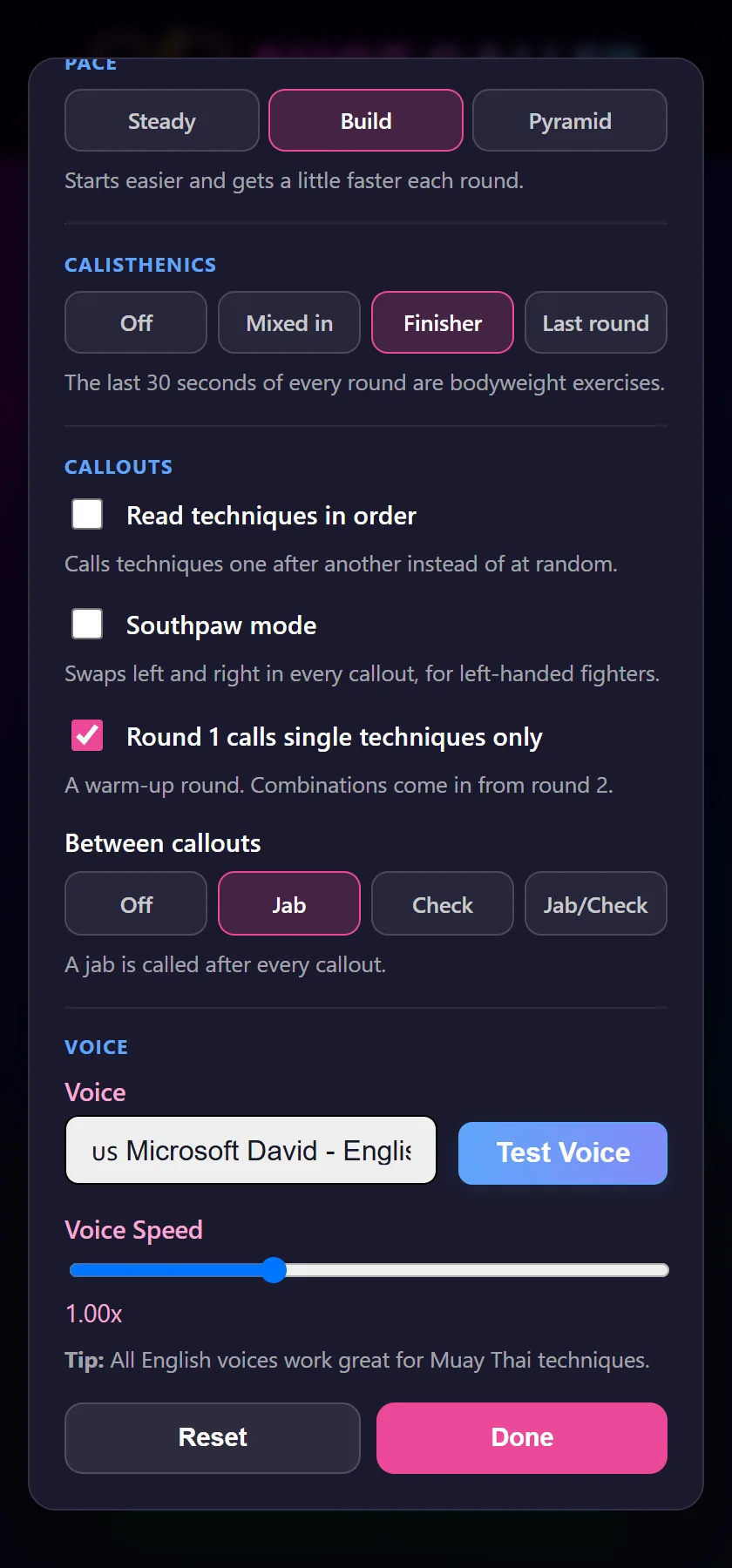
The important detail is that it doesn’t take a combination’s place. The next callout still lands when it would have. The jab or check is fitted into the pause before it, so the round keeps all its combinations and adds work on top.
Two things worth knowing before you turn it on:
Once rounds differ from each other, you need to know which one is next. So the rest screen now shows it: the round number, the style, and anything else that round carries. The ten-second warning says it out loud as well, so you don’t have to walk back to the phone.
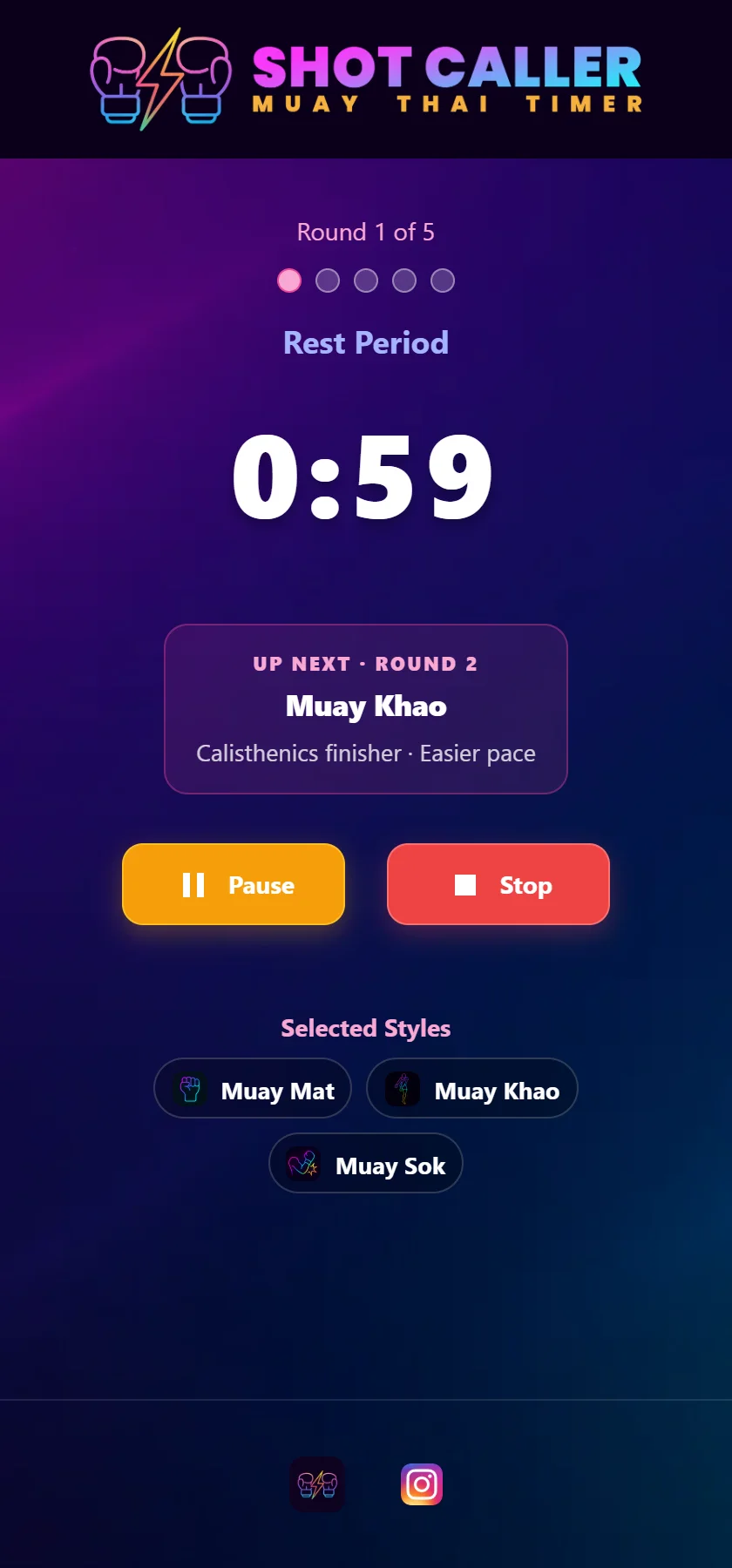
The plan is saved with the session. Stop halfway and resume it later from Workout Logs, and you pick up the same plan from the round you left, even if you’ve changed your styles on the home screen in the meantime.
Getting around the app used to depend on where you were. There was a footer, a stats chip, and a couple of links tucked under the style grid. All of that is now one menu, in the top corner of every page: Train, Learn, Technique Manager, Workout Logs, Help. It disappears during a live round, because that is not the moment to be browsing.
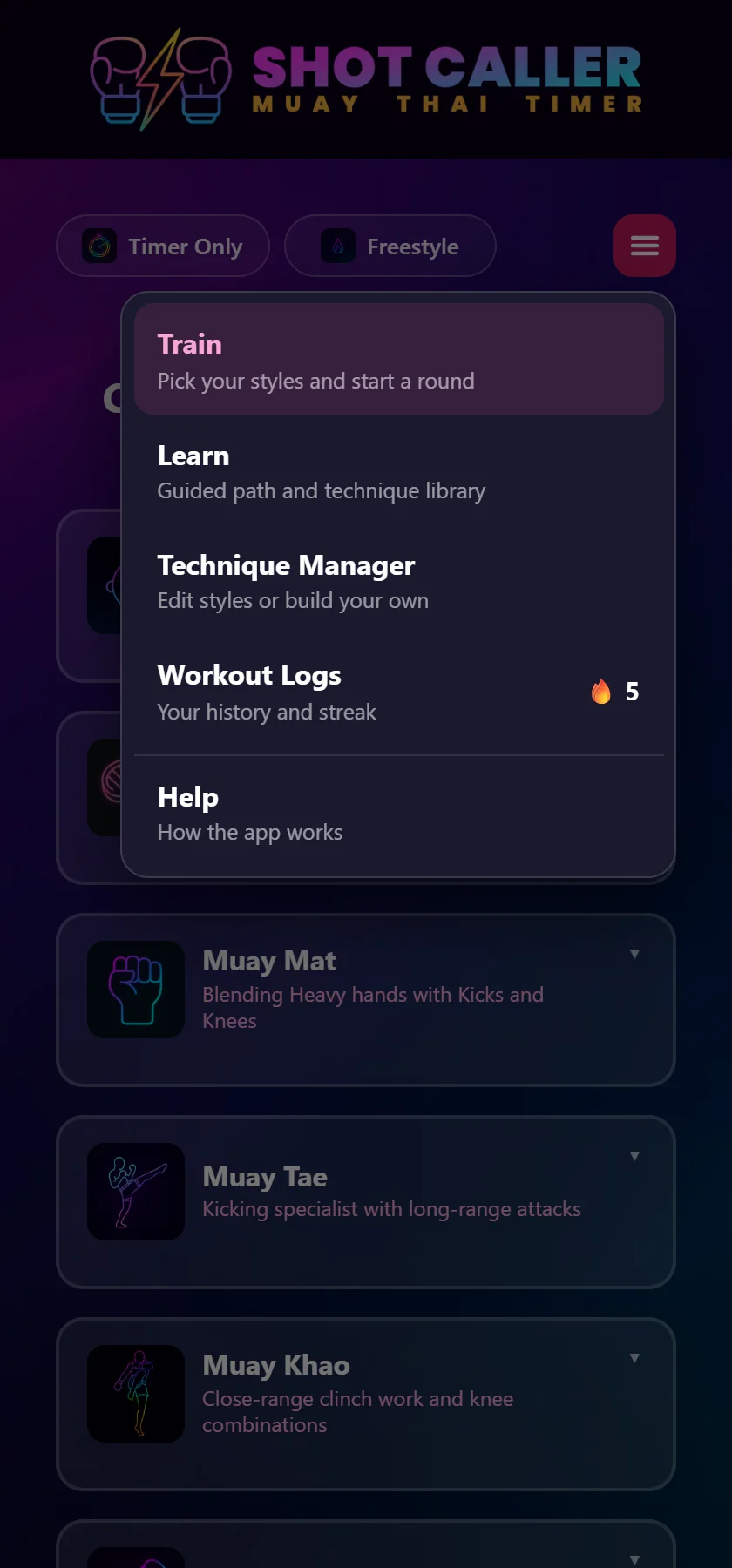
The home screen is lighter for it. Timer Only and Freestyle are now two switches at the top of the page, not tiles in the grid, so the grid is only styles. And if you’re on Pro you can reorder the styles so the ones you use every week sit at the top. The Technique Manager follows the same order.
The logs page now opens with a card that’s about you: your name, your most-trained style, and your day streak, best streak, total workouts and total rounds in a single row, with your charms underneath.
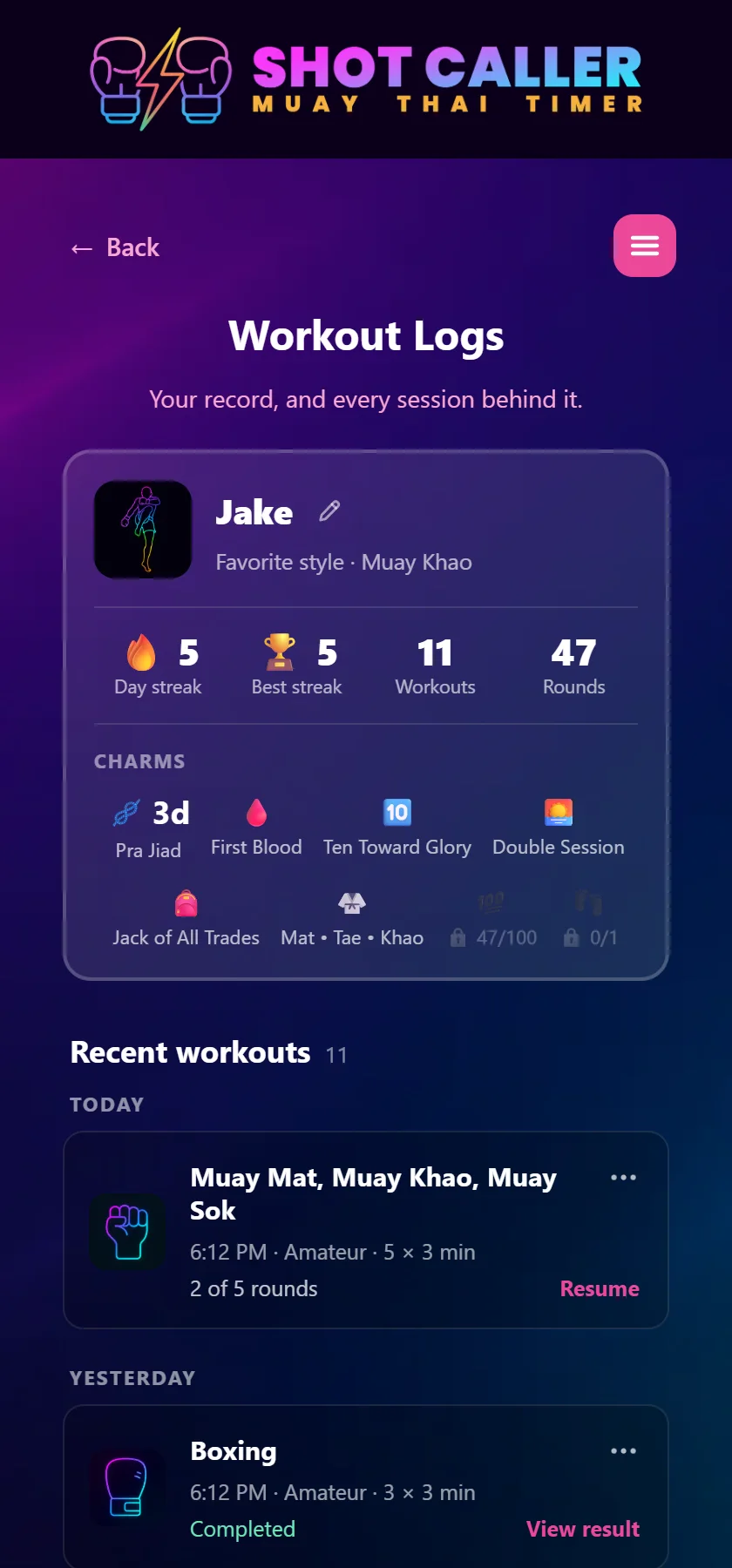
Below it, sessions are grouped by day (Today, Yesterday, then dates) and every row does one thing, written out in words: Resume for a session you didn’t finish, View result for one you did. Delete has moved into the three-dot menu, where you won’t hit it by accident with a glove on.
If streaks are what get you to the bag, our post on workout logs and charms covers how those work.
Round structure is part of Pro: styles by round, the warm-up round, pace, calisthenics placement and the jab or check between callouts, plus reordering your styles. On the free version you can open Session Settings and see every control; choosing one brings up the upgrade screen.
Everything else here is free: the new menu, the cleaner home screen, the rebuilt Workout Logs, the fairer blending and the voice settings.
Five rounds, three minutes, one minute rest. Pick Muay Mat, Muay Khao and Muay Sok in that order. In Session Settings: By round, pace on Build, calisthenics on Finisher, warm-up round ticked, and Jab between callouts. Hands, knees, elbows, then hands and knees again at a faster clip, with thirty seconds of bodyweight work closing every round. If you want the reasoning behind laying rounds out like that, our guide to structuring five rounds on the heavy bag has it.
Shot Caller Nak Muay calls real Muay Thai combinations out loud while you work. Free to start — the round timer, Freestyle and Nak Muay Newb cost nothing.
Prefer to try it in the browser first? Open the web version.